Financial Aid Self Service Tutorial
Steps to access Financial Aid Self Service through your CampusCruiser account:
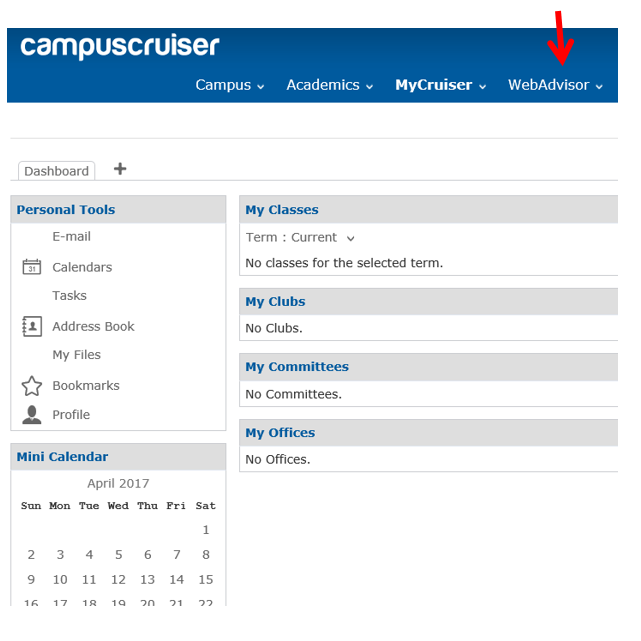
1. Log into CampusCruiser and select WebAdvisor.
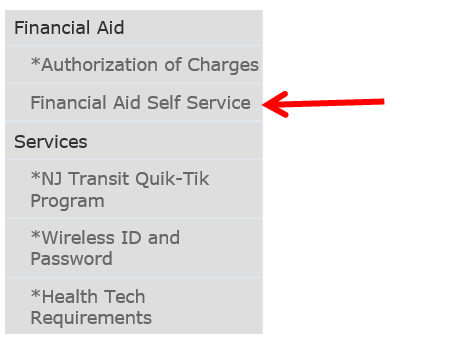
2. Select Financial Aid Self Service under the Financial Aid section on the lower left side.
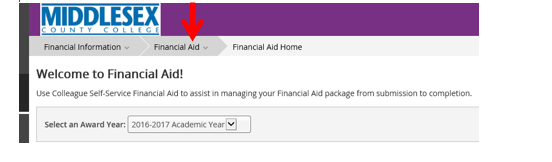
3. Once logged into Financial Aid Self Service, select “Financial Aid” to view the drop down menu.
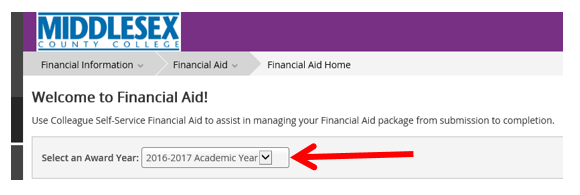
4. Select the correct award year to view financial aid information. The 2016-2017 academic year includes Fall 2016, Spring 2017 and Summer 2017. The 2017-2018 academic year includes Fall 2017, Spring 2018 and Summer 2018.