



You can make a tuition payment online by visiting the student portal (Campus Cruiser) at http://portal.middlesexcc.edu.
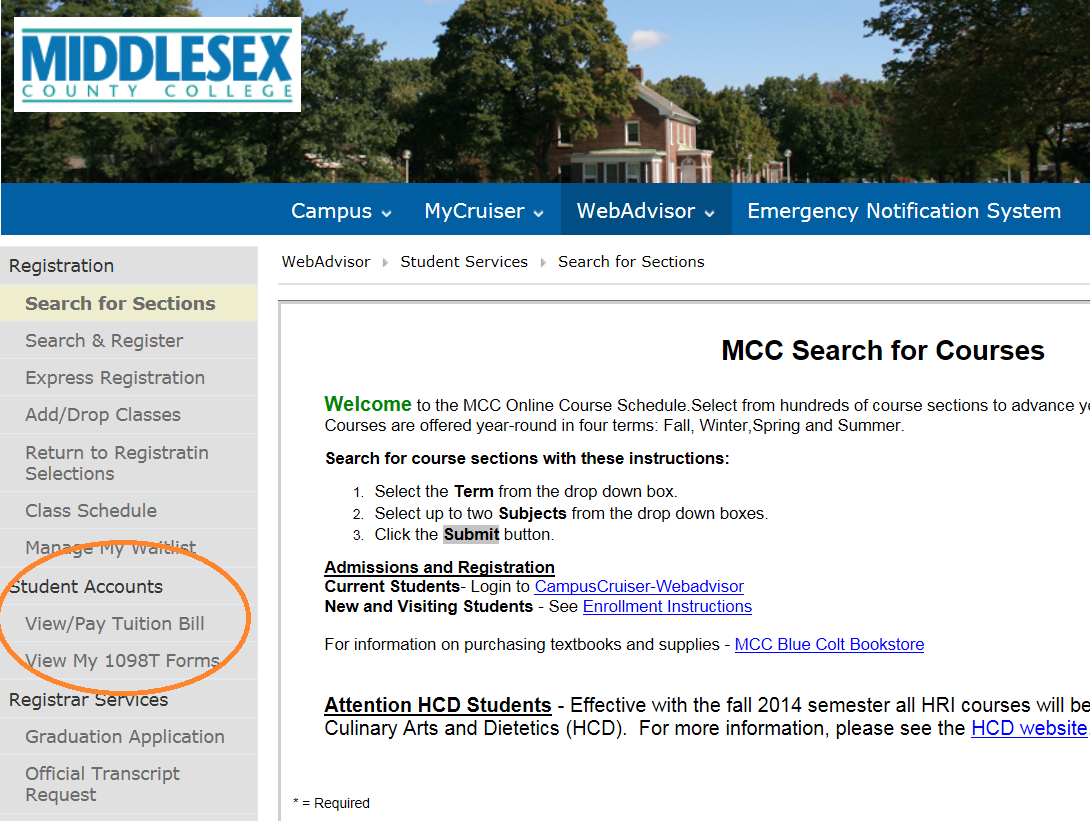
After logging in using your MCC username and password, select the “WebAdvisor” tab and then click on the “View/Pay Tuition Bill” under Student Accounts as shown below.
NOTE – If you click on “View/Pay Tuition Bill” and the new page does not display: Please click on the “Open in a New Window” button. To avoid this problem in the future, change your pop-up blocker settings to permit “prod.campuscruiser.com”.
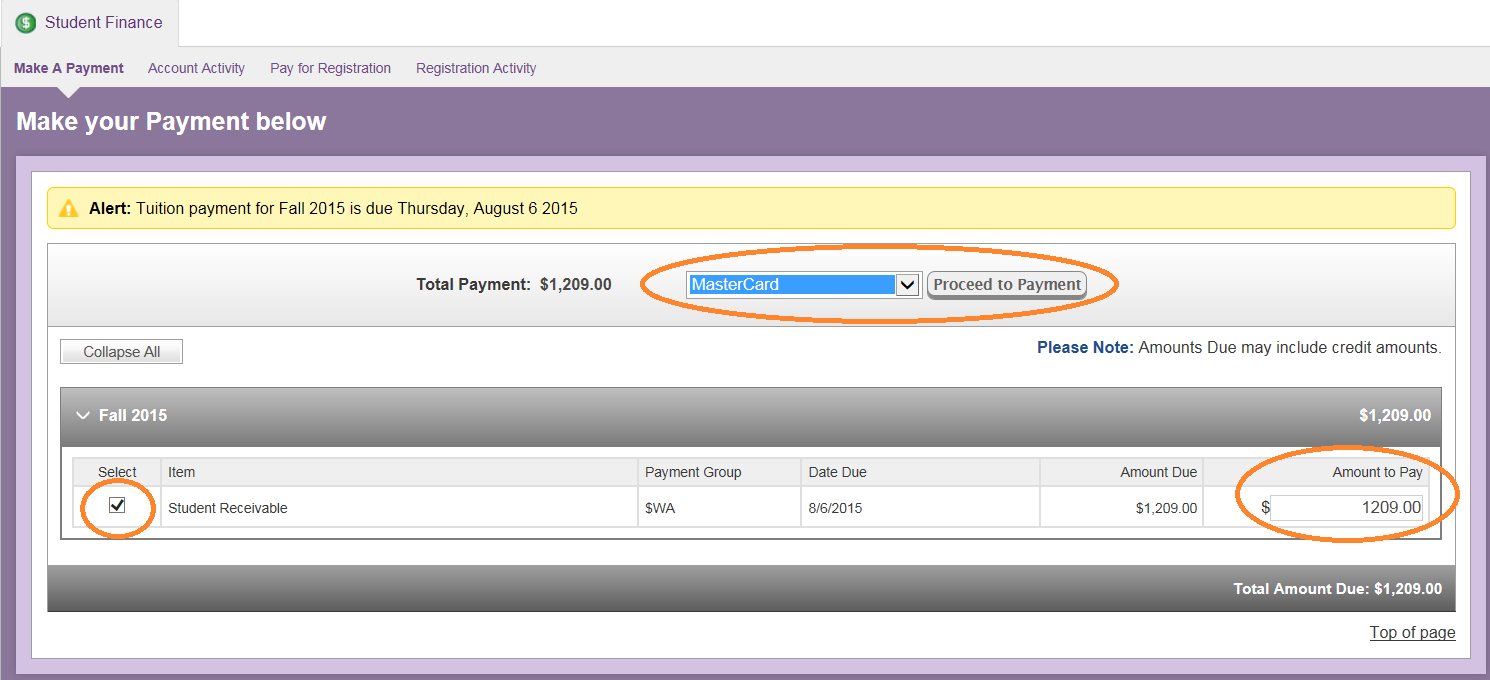
This will take you to the Student Finance view where you may make a payment as shown below.